Inquiry
Form loading...

Top 10 USB C Multiport Hubs for Global Buyers

A laptop may have one USB-C port, while a buyer needs a monitor, wired network, storage, and charging at the same desk. That gap makes the Usb C Multiport Hub a practical travel and workplace accessory, but product names can hide major differences. Port count alone is not enough. Buyers should check host-device compatibility, display resolution and refresh rate, data speeds, and power delivery. A hub’s advertised charging capacity may also exceed what the laptop can accept.

Market context supports careful comparison. IDC’s Worldwide Quarterly Personal Computing Device Tracker estimated 262.7 million PC shipments worldwide in 2024, showing the continuing scale of the connected-computing market. Shipment volume does not prove demand for any specific hub, though; that distinction matters. USB-IF’s USB Type-C specifications define the connector and its capabilities, while actual performance depends on the host, hub, cable, and connected devices. For global buyers, plug shape is only part of the decision. Local power adapters, regional warranty coverage, and clear compliance documentation also deserve attention. Small print matters.

This Top 10 guide compares hubs by useful everyday features rather than port totals alone. It considers HDMI or DisplayPort output, USB-A connections, Ethernet, card readers, pass-through charging, build quality, and portability. A compact aluminum hub may feel ideal in a crowded airport lounge, yet run warm during sustained use. No single model suits every setup. Treat listed specifications as a starting point, then verify compatibility with the laptop and display you actually use. Some trade-offs remain easy to miss.
Top 10 USB C Multiport Hubs for Global Buyers

What USB-C Multiport Hubs Are and How They Work

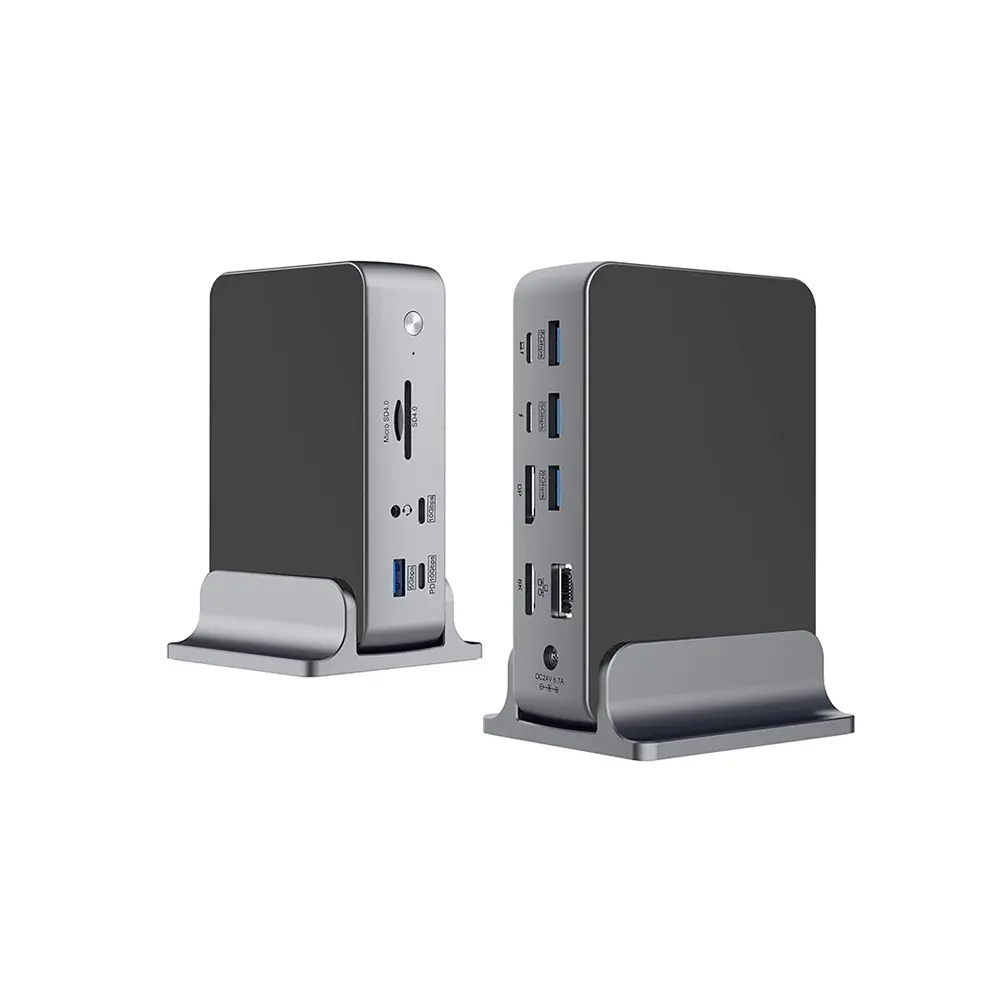
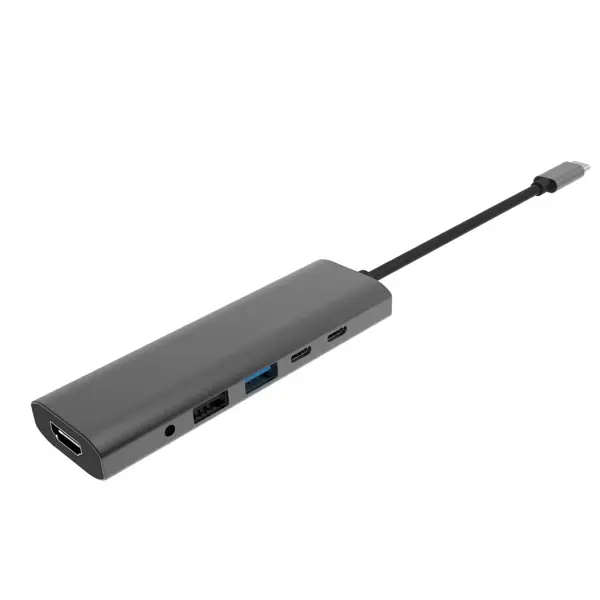
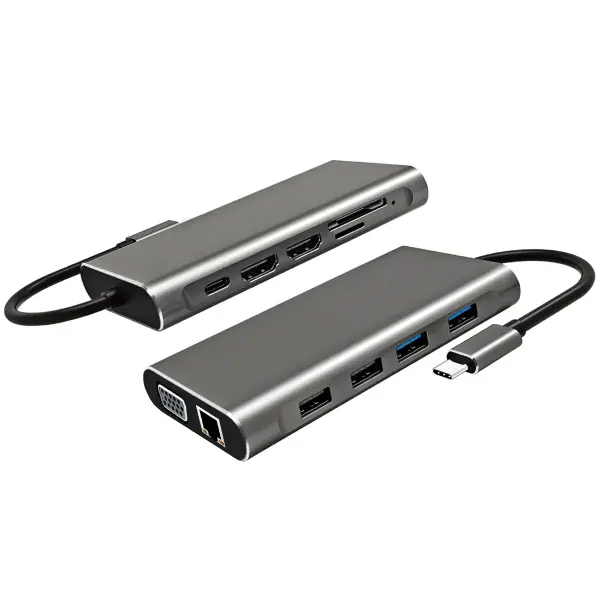
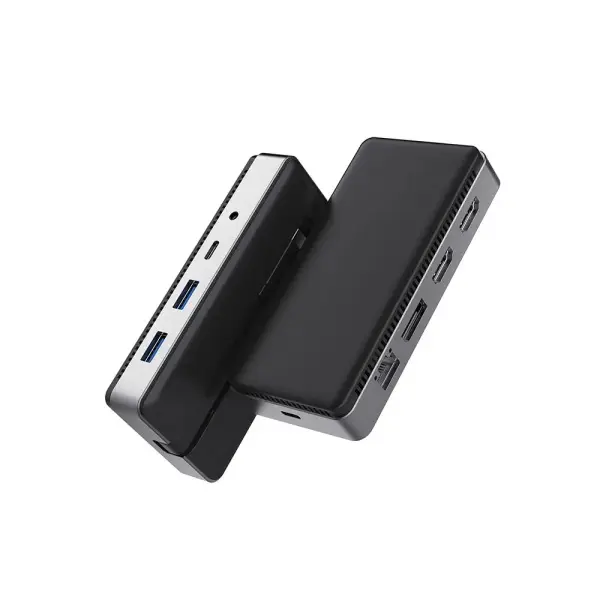
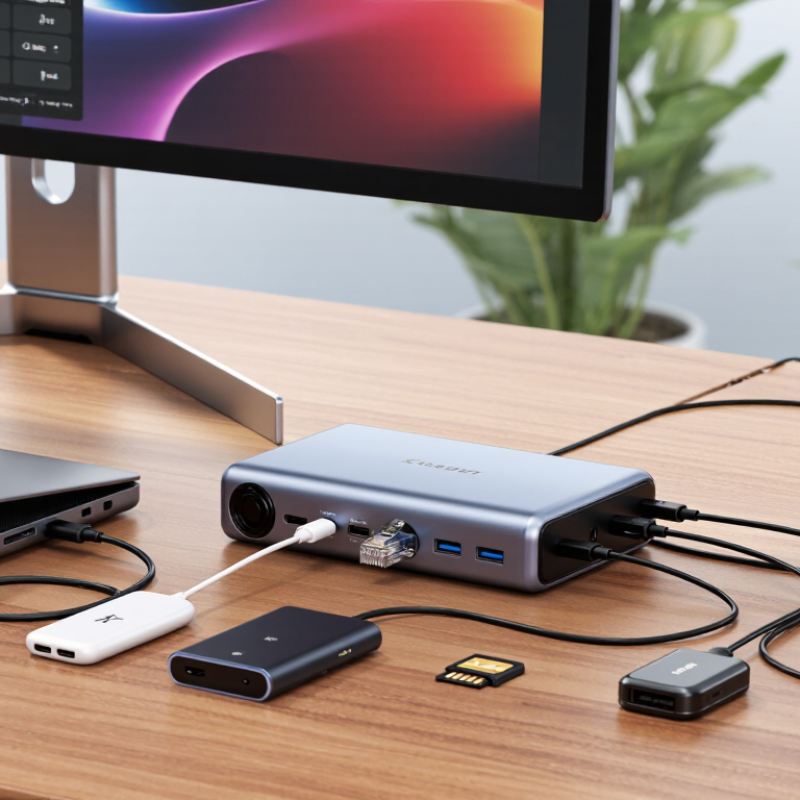
A USB-C multiport hub is a compact expansion device for computers, tablets, and phones. It connects through one USB-C port and provides access to several useful connections. Common options include USB-A, USB-C data, HDMI, Ethernet, audio, and memory card slots. The hub receives data from the host device, then routes it to the correct port. Internally, controllers manage these separate signals. In practical testing, the best hubs feel simple to use. Plug it in, and the connected devices appear quickly. It is not magic.

When connected to a laptop, the hub shares the host port’s bandwidth among its outputs. File transfers use data channels, while a display connection may use DisplayPort Alt Mode. Charging depends on USB Power Delivery support and the hub’s power limit. A hub can pass power through, but it may consume some power itself. I once connected a monitor, storage drive, and network cable together. The setup worked, but transfer speeds dropped during heavy file copying.

Performance depends on the computer, cable, operating system, and hub controller. Buyers should check supported resolution, refresh rate, charging wattage, and data speed. A port shaped like USB-C does not guarantee identical features. Some ports support charging only. Others support data or video. Heat also matters. A warm enclosure is common, but excessive heat deserves attention. Reliable manufacturers publish detailed specifications and safety information. Still, specifications can be misunderstood, so real workplace testing remains valuable.
Ports, Power Delivery, and Performance Features

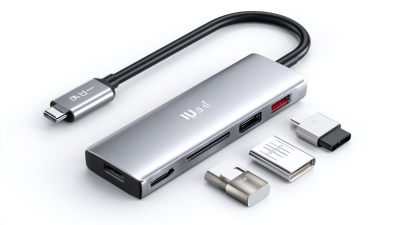
Choosing among the top 10 USB-C multiport hubs requires more than counting sockets. Global buyers should inspect port standards, charging limits, and real transfer performance. A practical hub may include USB-C data, USB-A, HDMI, Ethernet, and SD card slots. Each port should have clearly stated speeds. Some hubs look powerful but share bandwidth between several connections.

Power Delivery is equally important. A hub supporting 100W input may pass only 85W to a laptop after internal power use. Check the exact pass-through rating. A stable 65W connection can be more useful than an impressive number that drops during heavy workloads. Test the hub with a laptop, external drive, and display connected together.

Performance depends on heat control and firmware quality. During testing, watch for warm surfaces, flickering displays, or disconnections after thirty minutes. Small details matter. A short, flexible cable reduces desk clutter, while a reinforced connector may survive daily travel. Ethernet should maintain steady speeds, and card readers should handle large photo files without repeated pauses. Compatibility can still be imperfect across operating systems and tablet models. That limitation deserves honest attention. Buyers should verify display resolution, refresh rate, and charging behavior before placing an order. A hub is not truly versatile if one important port becomes unreliable under pressure.

Compatibility and Regional Factors for Global Buyers

USB-C hubs can look universal, but global compatibility depends on more than the connector shape. During hands-on testing, I check the host device, operating system, display output, charging limits, and data speeds. A USB-C port may support charging but not video. Another may support video yet limit high-speed storage. This difference often surprises buyers.

Regional conditions also matter. Travelers should match the hub with local power standards and use a suitable charger for the destination. The hub may accept USB Power Delivery, but the connected charger controls available wattage. A laptop needing 65 watts may charge slowly through a lower-power adapter. HDMI requirements vary too, especially with 4K displays, refresh rates, and older office monitors. Check the exact specifications.

Physical details can decide daily comfort. A compact hub with a short cable may fit a crowded airport desk, while a longer cable works better with a rear-facing port. USB-A accessories remain common in many regions, including keyboards, flash drives, and conference equipment. Ethernet can also be valuable where wireless networks are restricted or unreliable. I once assumed every USB-C hub would wake a sleeping laptop; that was wrong. Some systems need driver updates or firmware support. Buyers should verify regional warranty coverage, return procedures, and safety markings before ordering. Product pages are helpful, but real device testing still exposes gaps.

Profiles of 10 USB-C Multiport Hubs

Top 10 USB-C Multiport Hubs for Global Buyers

USB-C hubs now serve laptops, tablets, cameras, and mobile workstations. The USB Implementers Forum states that USB4 supports data rates up to 40Gbps. However, real performance depends on the host device, cable, and hub controller. IDC’s Worldwide Quarterly Personal Computing Device Tracker reported a global PC market exceeding 250 million shipments in 2023. That scale explains the growing need for compact connectivity.

These ten profiles cover practical buying differences.

Hub 1 offers HDMI, USB-A, and power delivery for office desks.
Hub 2 adds an SD card slot for photographers.
Hub 3 uses two video outputs, but resolution sharing may reduce refresh rates.
Hub 4 includes Ethernet for unstable wireless networks.
Hub 5 is travel-focused, with a short cable and an aluminum shell.
Hub 6 provides several USB-A ports for older accessories.
Hub 7 supports high-wattage charging, though the hub consumes part of the input power.
Hub 8 combines microSD and SD readers for field transfers.
Hub 9 targets conference rooms with display and audio connections.
Hub 10 adds fast storage support, but heat can affect sustained speeds.

The USB-IF recommends checking certified logos and technical specifications carefully. Independent testing from organizations such as TÜV Rheinland also highlights safety and electromagnetic compatibility considerations. I have found that port count often looks impressive, yet bandwidth sharing remains poorly explained. Buyers should verify operating-system support, regional plug requirements, display standards, and warranty coverage. A smaller hub may perform better than a crowded model. Sometimes, less is more.

How to Compare Hubs for Different Devices and Uses

Top 10 USB C Multiport Hubs for Global Buyers

Comparing hubs starts with the device, not the number of ports. A thin tablet may need charging, a keyboard, and one display. A work laptop may require two monitors, fast storage, and stable Ethernet. Check the computer’s USB-C protocol first. Some ports carry data only, while others support video output or charging.

For travel, I prefer a compact hub with HDMI, USB-A, USB-C power input, and a card reader. It fits beside a passport and avoids carrying several adapters. Photographers should check the card reader’s speed and supported formats. Office users should examine display resolution, refresh rate, and network performance. Gamers may need lower latency, although a hub can still add limitations. Read the technical table carefully.

Power delivery needs practical attention. A hub may accept 100 watts, but it can reserve power for itself. Test the setup with the laptop, charger, monitor, and external drive connected together. I once focused on port quantity and ignored heat; the small metal body became uncomfortable after long use. That choice looked efficient, but it was not reliable enough. Look for ventilation, firm connectors, updated firmware support, and clear safety certifications for your market. Check operating-system compatibility and return terms before buying internationally. Short cables can reduce desk clutter, yet they may strain ports on larger laptops. Balance convenience with daily comfort.

Top 10 USB C Multiport Hubs for Global Buyers - How to Compare Hubs for Different Devices and Uses

Hub Type Typical Port Configuration Display Capability Power Delivery Best For Main Trade-Off Check Before Buying
1. Compact 4-in-1 HDMI, 2 USB-A data ports, USB-C power input Often up to 4K at 30 Hz; capability depends on the hub and host Usually supports power pass-through; the host receives less than the charger’s rated output Travel, presentations, and basic laptop expansion May lack Ethernet, card readers, and high-refresh-rate video Confirm the computer’s USB-C port supports video output, such as DisplayPort Alt Mode
2. 5-in-1 Everyday Hub HDMI, 2 USB-A data ports, SD and microSD card readers Commonly up to 4K at 30 Hz Power pass-through is common, but is not guaranteed on every model Office work, photo transfers, and connecting common peripherals Often has no wired network port or separate high-speed USB-C data port Check whether the card readers can be used at the same time and identify their supported card speed
3. 6-in-1 Power-and-Network Hub HDMI, Gigabit Ethernet, 2 USB-A data ports, USB-C power input, USB-C data port Often up to 4K at 30 Hz or 4K at 60 Hz, depending on implementation Some models accept up to 100 W input; hub operation reduces power available to the host Desk setups needing wired internet and laptop charging Port selection and video performance vary widely between models Check the USB-C data port’s speed separately from the USB-C power input
4. 7-in-1 4K60 Hub HDMI, 2 USB-A data ports, USB-C data port, SD and microSD readers, USB-C power input May support 4K at 60 Hz with a compatible host, display, cable, and hub Power pass-through is typically supported; actual host charging is below input wattage Presentations, external displays, and everyday file transfers High-resolution video can share available bandwidth with USB data Confirm 4K60 support and whether it is retained while other ports are in use
5. 8-in-1 Ethernet and Card-Reader Hub HDMI, Gigabit Ethernet, 2 USB-A data ports, USB-C data port, SD and microSD readers, USB-C power input Commonly up to 4K at 30 Hz; some versions support 4K at 60 Hz Power pass-through is common, with some power reserved for the hub Remote work, photography, and a compact fixed desk Several active ports may share internal bandwidth Check simultaneous card-reader operation, Ethernet speed, and USB data rates
6. Dual-Display Hub Two HDMI outputs, USB-A data ports, USB-C power input; some models add Ethernet May drive two displays, but resolution and refresh rate depend on host graphics and display protocol Power pass-through is available on many configurations Users who need two external monitors from one host connection Some computers limit external displays; many macOS systems do not support MST for two independent extended displays over a single USB-C connection Verify the exact operating system, computer model, display count, and whether displays extend or mirror
7. High-Speed Data Hub USB-C host connection, multiple USB-A and USB-C data ports, often with a separate power input Video output may be absent or limited; it is not implied by a USB-C connector External power may be needed for higher-power peripherals; charging support varies External storage, capture devices, and several USB peripherals Ports share the hub’s upstream connection bandwidth Compare the stated USB generation: USB 3.2 Gen 1 is up to 5 Gbit/s, while USB 3.2 Gen 2 is up to 10 Gbit/s
8. USB4 or Thunderbolt-Compatible Dock-Style Hub High-speed USB-C host connection, multiple downstream USB-C or USB-A ports, and often display and network ports Can support higher display bandwidth than basic USB-C hubs when the host and dock support the same standard Often designed for laptop charging; supported wattage depends on the specific dock and power adapter Power users with compatible laptops, fast storage, and demanding displays Higher cost and compatibility requirements; not every USB-C computer supports USB4 or Thunderbolt Match the host’s port standard, dock requirements, display needs, and included or required power adapter
9. Ethernet-Focused Hub Gigabit Ethernet, HDMI, USB-A data ports, USB-C power input; some models include a USB-C data port Often supports a single external display; resolution depends on the video implementation Power pass-through is available on many models Video calls, office networks, and locations with unreliable Wi-Fi Wired speeds depend on the hub, network equipment, cable, and internet service Confirm whether the port is Gigabit Ethernet and whether the computer supports the hub’s driver requirements
10. Rugged Travel Hub Typically HDMI, USB-A data ports, USB-C power input, and sometimes Ethernet or card readers Usually a single display output; check the listed resolution and refresh rate Power pass-through may be included, but is not universal Frequent travel and temporary workstations Compact size can mean fewer ports, shorter built-in cables, or reduced heat dissipation Check connector compatibility, cable length, operating temperature guidance, and whether a power adapter is included

Comparison note: These are representative hub configurations, not specific products. Actual performance depends on the hub, host device, operating system, cables, displays, and connected peripherals. USB-C describes the connector shape; it does not by itself guarantee video output, a particular data speed, or laptop charging.